
EV Charging Troubleshooting: 10 Most Common Problems Solved

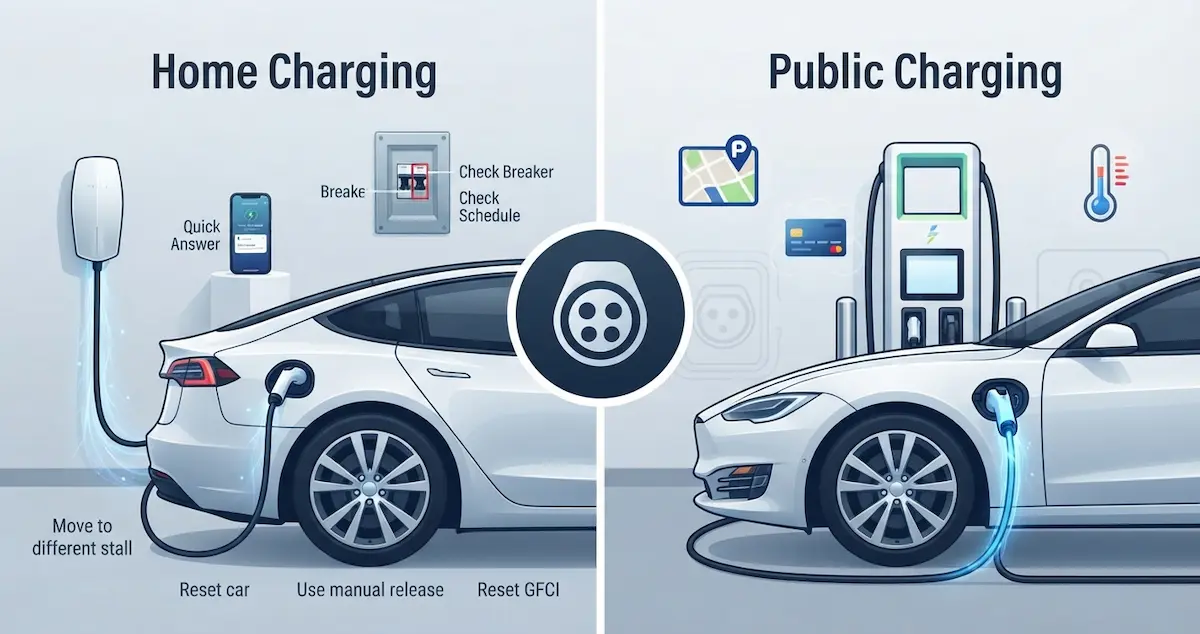
Your EV isn’t charging, and you need to figure out why, fast. This guide is the complete EV charging troubleshooting resource. It covers every type of charging problem, from Level 1 to DC fast charging, provides a clear diagnostic sequence, and tells you exactly when a problem is fixable at home versus when you need a dealer. Use the table of contents to jump to your specific issue.
This is our main charging guide. For one specific fault, see charging error code 26 or slow charging at half speed. Other battery problems are in Common EV Battery Problems and How to Fix Them.
Short Version
Before anything else, try these three steps in order:
- Unplug, wait 2 minutes, plug back in firmly. This fixes roughly 30% of all charging failures by resetting the communication handshake between the EVSE and car.
- Check the circuit breaker. Flip it fully OFF, wait 30 seconds, and flip it firmly back ON. This fixes another 20–25% of home charging failures.
- Check your charging schedule. Open the companion app and confirm no scheduled delay is blocking the charge. This explains another 15–20% of “why won’t it charge” reports.
If those three steps don’t resolve it, continue through this guide.
Identify Your Charging Problem Type
| Symptom | Most Likely Cause | Jump To |
|---|---|---|
| Nothing happens when plugged in at home | Breaker, GFCI, EVSE fault, schedule | Home Charging Won’t Start |
| Charging starts then stops | Charge limit reached, thermal, communication fault | Charging Stops Mid-Session |
| Charging is much slower than expected | Current setting, cold battery, circuit | Slow Charging |
| Won’t charge past 80% | Charge limit set to 80% | Charge Limit Issues |
| Public DC fast charger not working | Broken stall, authentication, cold battery | Public Charging Problems |
| Charge port won’t open or cable stuck | Car locked, latch fault | Charge Port Problems |
| EV shows error message | Varies by code | Error Messages |
| Won’t charge in cold weather | Normal BMS protection, preconditioning needed | Cold Weather Charging |
| Charger trips the breaker | Incorrect sizing, aging breaker | Breaker Problems |
Home Charging Won’t Start
Complete diagnostic sequence
- Check the circuit breaker, find the 240V double-pole breaker in your panel. Flip firmly OFF, wait 30 seconds, then back ON.
- Check the EVSE indicator lights, solid green = ready, blinking green = charging, red = fault. A red light means the EVSE detected a problem. Note how many times it blinks (Tesla Wall Connector blink count identifies the specific fault).
- Check the charging schedule, open your car’s companion app and look for any scheduled delay. Clear it and tap “Start Charging.”
- Check the charge limit, if the battery is already at or above it, the car won’t charge. Lower the limit below current SOC.
- Reset the EVSE, flip the EVSE breaker OFF for 60 seconds, then back ON. Wait 60 seconds for the self-test to complete.
- Check the GFCI, for plug-in EVSEs, press the RESET button on the outlet. For GFCI breakers, reset at the panel.
- Clean the charge port, use compressed air to clear debris. Push the connector in firmly until it clicks.
- Test with portable cord, if the car charges on the portable cord but not the wall EVSE, the wall unit has the fault. If neither works, the car has the fault.
- Check the 12V battery, a dead 12V prevents the charging system from initializing. Test with a 12V voltmeter; below 11.5V at rest indicates a failing battery.
Charging Stops Mid-Session
Diagnostic questions
- Did it stop exactly at the charge limit? → Normal. Raise the limit if you want to charge more.
- Did it stop after 1–2 hours? → Possible EVSE relay overheating or GFCI trip. Reset the EVSE and check connection quality.
- Did the battery show “Charging paused, temperature”? → Thermal protection. Wait for the battery to cool/warm, and charging resumes automatically.
- Did it stop with no error and no apparent reason? → J1772 communication dropout. Unplug and replug to reset the handshake.
- Does the EVSE app show “Session Ended by Vehicle”? → The car’s BMS stopped the session. Check for BMS fault codes via OBD2.
Slow Charging
Slow Level 2 at home
- Check the charge current setting in the car, is it set to maximum for your EVSE’s output?
- Is the battery cold? Below 40°F reduces the charge rate. Precondition before plugging in.
- What’s your EVSE’s rated amperage? Verify your circuit supports it (EVSE amps × 1.25 = minimum breaker size).
- Is the EVSE shared with other loads? A dedicated circuit is required for maximum speed.
Slow DC fast charging
- Is the battery above 80% SOC? DC charging naturally slows above 80%.
- Is the battery preconditioned? Navigate to the charger in built-in navigation to trigger preconditioning.
- Are you on a shared stall? Move to an unshared stall or higher-power station.
- Is it your second fast charge today without a cooling break? Allow 20–30 minutes of cooling between sessions.
- Is it cold weather? Warm the battery first, low initial rates from cold are normal and increase as the battery warms.
Charge Limit Issues
- Won’t charge past 80%: Charge limit is set to 80%. Change in car settings or app. For Chevy Bolt: recall software limits are set to 80–90% until the recall repair is complete.
- Won’t reach 100%: Run a BMS recalibration cycle (discharge to 10%, charge to 100%, hold for 1 hour). On Tesla, staying plugged in at 99% for 2 hours usually brings it to 100%.
- Charge limit resets to 80% after the update: the software update changed the default. Raise the limit manually after any software update.
Public Charging Problems
In order of what to try
- Move to a different stall. Broken stalls are the most common public charging problem. Try every stall at the site before assuming your car is the problem.
- Check your authentication, open the network’s app, verify your account and payment method are valid, and try initiating the session through the app rather than a card.
- Soft reset the car, unplug, reboot, wait 2 minutes, firmly replug.
- Precondition for cold weather, if below 40°F, the battery needs to warm before DC fast charging at full rate.
- Call network support, they can often remotely start a session or confirm whether the site is offline. Keep these numbers: Electrify America (833-632-2778), ChargePoint (888-758-4389), EVgo (877-494-3833), Tesla (877-798-3752).
- Check PlugShare, view real-time check-ins to confirm whether the site is working for other drivers.
Charge Port Problems
- Port won’t open: Unlock the car first. Cold weather may freeze the door, use lukewarm water to thaw. Use the manual release cord inside the car if electronic release fails.
- Cable stuck in port: Unlock the car. Use the companion app’s “Release Charge Port” command. Use the manual release cord (location varies by model, see the guide for your brand).
- Connector won’t seat: Inspect for debris or bent pins. Clean with compressed air. Try a different cable. Bent pins in the car’s port require dealer repair.
Error Messages: What They Mean
| Error Message | Cause | Fix |
|---|---|---|
| Unable to Charge | Communication failure | Unplug, reboot car, EVSE reset, replug |
| Check Charging Equipment | EVSE fault | Try different EVSE |
| Charging Paused: Temperature | Battery too hot or cold | Wait for temperature to normalize |
| Scheduled Charging Active | Delayed start set | Clear schedule or tap Start Now |
| Charge Port Error | Latch or sensor fault | Check port; use app to release |
| Ground Fault Detected | Wiring issue | Electrician required |
| High Voltage Battery Fault | BMS hardware fault | Dealer required |
| P0AA6 | HV isolation fault | Stop charging, dealer required immediately |
| P1E00 (Bolt) | Battery system fault | Dealer required |
| P3101 (Leaf) | Battery capacity fault | Dealer required |
| BMS_a066 (Tesla) | Battery module fault | Dealer required |
Cold Weather Charging
EV charging slows in cold weather because the BMS limits current to prevent lithium plating damage. This is protective and expected. How to maximize cold weather charging:
If the car is not charging because it will not turn on, read What to Do If Your EV Won’t Power On.
- Precondition before charging: Use the app to start preconditioning 20–30 minutes before you plan to charge (while still plugged into Level 2 if possible). Grid power warms the battery, not battery power.
- Navigate to DC fast chargers: Built-in navigation triggers automatic battery preconditioning. CarPlay/Google Maps do not.
- Be patient at DC fast chargers: Initial cold-rate output of 10–30 kW is normal. They increase as the battery warms, sometimes doubling within 10–15 minutes.
- DC fast charging refused at extreme cold: Below -4°F, many EVs won’t accept DC fast charging. Use Level 2 first to warm the battery.
Breaker Problems
- Breaker trips immediately on plug-in: Ground fault in EVSE, vehicle, or wiring. Stop using the circuit, electrician required.
- Breaker trips after 30–60 minutes: EVSE current exceeds 80% of breaker rating (NEC violation). Reduce EVSE current setting or upgrade to a larger breaker on a heavier wire.
- Breaker trips randomly: Loose wiring connection or aging breaker. Electrician inspection required.
Safety Warnings: When to Stop Immediately
⚠️ Stop charging immediately and call an electrician or dealer if you experience any of the following:
- Burning smell from the charging cable, connector, or outlet
- Visible melting, discoloration, or smoke from any component
- The EVSE’s GFCI trips every time you plug in (indicates a ground fault in wiring or vehicle)
- A “P0AA6” or “High Voltage Isolation Fault” error code on any EV
- The EV battery compartment is hot to the touch or shows visible swelling
- The car sparks when connecting the charge cable
These are potential safety hazards, do not attempt to work around them.
When to Contact a Dealer vs. Fix It Yourself
| Problem | DIY Fix? | Dealer Needed? |
|---|---|---|
| Tripped breaker | Yes, reset breaker | Only if keeps tripping |
| Charging schedule conflict | Yes, clear schedule | No |
| Charge limit at 80% | Yes, change setting | No (unless Bolt recall) |
| Cold battery slow charge | Yes, precondition | No |
| Broken public stall | Yes, try different stall | No |
| J1772 communication error | Yes, reset both sides | Only if persistent |
| Ground fault / P0AA6 | No | Yes, immediately |
| Bent pins in charge port | No | Yes |
| Onboard charger failure | No | Yes |
| BMS battery fault | No | Yes |
| Burning smell from cable | No | Electrician first |
OBD2 Scanning: Before Going to the Dealer
A Bluetooth OBD2 scanner ($15–$50) reads fault codes from your EV’s BMS before you spend money on a dealer visit. Recommended scanners:
- ELM327 Bluetooth adapter: Works with most apps, best for general fault code reading
- LeafSpy (Nissan Leaf): Most detailed Leaf-specific BMS data available
- ScanMyTesla: Tesla-specific diagnostic app with detailed battery and charging data
- Car Scanner ELM OBD2: Excellent for most non-Tesla EVs
- Torque Pro: Popular general-purpose OBD2 app
Knowing the specific fault code before contacting the dealer lets you have a more productive conversation and helps confirm whether a repair is warranty-eligible.
Battery Warranty: Know Your Coverage
Most automakers back the high-voltage battery with an 8-year/100,000-mile warranty. It covers both battery defects and capacity loss below the manufacturer’s stated minimum. Some brands offer more:
- Rivian: 8 years/175,000 miles
- Tesla Cybertruck AWD: 8 years/150,000 miles
- Hyundai Ioniq 5 / Kia EV6: 8 years/100,000 miles
- Ford Mach-E / Lightning: 8 years/100,000 miles
- Chevy Bolt: 8 years/100,000 miles (post-recall replacement batteries)
- Nissan Leaf: 8 years/100,000 miles
- VW ID.4: 8 years/100,000 miles
If a charging fault is confirmed to be a battery or BMS hardware issue and your car is within this coverage window, the repair should be free. Always document fault codes and charging failure dates before a dealer visit.
Conclusion
Most EV charging problems are fixable with a reset, a settings check, or a breaker reset, no dealer needed. Work through the diagnostic sequence for your specific symptom using this guide before calling a dealer or an electrician. Know your fault codes (get an OBD2 scanner), know your warranty coverage, and document everything before any service visit. When a problem is genuinely a hardware fault, confirmed by persistent symptoms, fault codes, and failed basic troubleshooting, the 8-year battery warranty likely covers it.
Further reading
- U.S. Department of Energy: Charging Electric Vehicles at Home
- fueleconomy.gov: All-Electric Vehicles