
Rivian Charge System Fault: What It Means and How to Fix

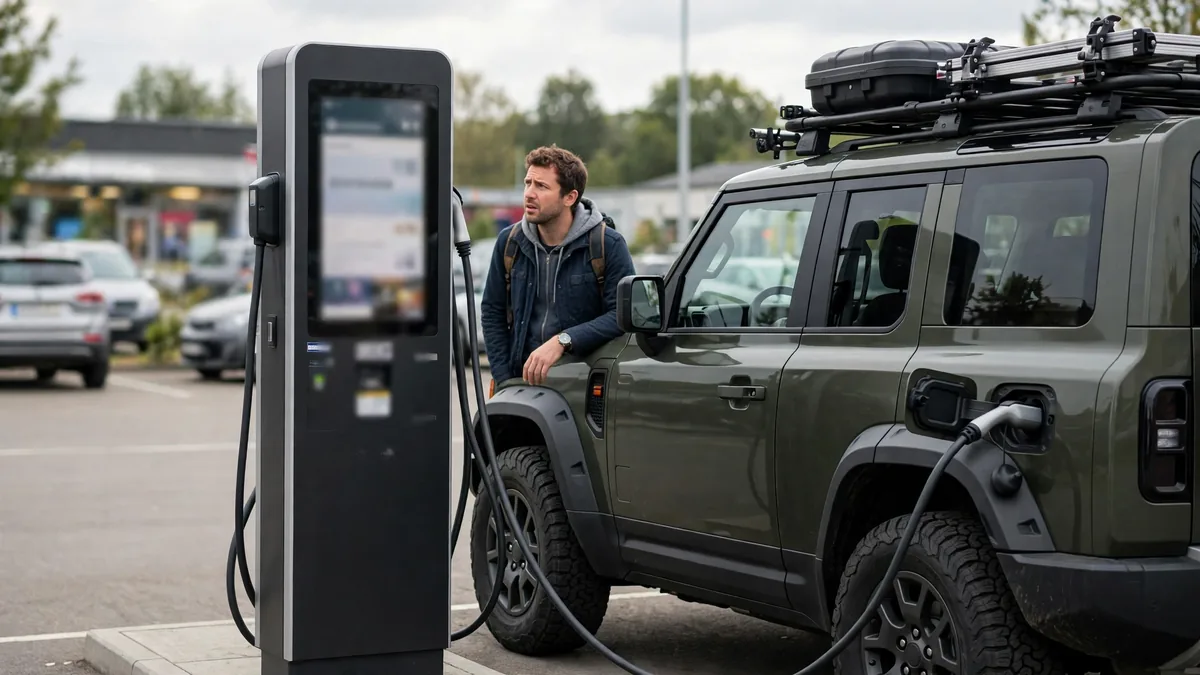
Your Rivian shows a “Charge System Fault” message, either in the instrument cluster, in the Rivian app, or as a notification after a failed charging session. This guide explains exactly what Rivian’s charge system fault means, the most common causes, and step-by-step fixes for each one.
This guide belongs to our brand-specific battery problems section. For the full overview, see Audi e-tron Battery Problems.
The Answer in Brief
Rivian’s “Charge System Fault” most commonly appears at third-party CCS charging stations, not at Rivian’s own Adventure Network. The fault indicates a communication failure between the Rivian and the CCS station during the charging handshake. Moving to a different stall, rebooting the vehicle, and ensuring the vehicle is on the latest software version resolves the majority of Rivian Charge System Fault errors without any hardware repair.
What “Charge System Fault” Means on a Rivian
Rivian’s “Charge System Fault” is a broad charging system error that can originate from three sources:
- The charging station side: The CCS charger has a fault, compatibility issue, or firmware problem
- The vehicle-to-charger communication: The CCS protocol handshake failed between the Rivian and the station
- The vehicle side: A fault in the Rivian’s onboard charging system
Distinguishing which source is responsible determines the fix. The fastest way: move to a different stall. If the fault clears at another stall, the first stall was the problem. If the fault persists at every stall and every network, the vehicle’s charging system needs attention.
Causes of Rivian Charge System Fault
Cause 1: CCS station fault: not the Rivian
Individual CCS charger units have significant failure rates, industry data consistently shows that 20–25% of public DC fast chargers have operational issues at any given time. A faulty stall produces a Charge System Fault on the Rivian’s end because the CCS handshake never successfully completes. Move to a different stall at the same site or try a different charging network before concluding the Rivian has a problem.
Cause 2: CCS protocol compatibility: third-party charger firmware
Early Rivian R1T and R1S builds had documented CCS compatibility issues with specific charger firmware versions, particularly at some ChargePoint and EVgo stations. The Rivian’s CCS software implementation was at odds with how certain station firmware handled the protocol handshake. Rivian has pushed multiple OTA updates addressing these compatibility issues. If experiencing consistent Charge System Faults at one network but not others, a CCS compatibility issue is likely, ensure the Rivian is on the latest software.
Cause 3: Battery not preconditioned for DC fast charging
The Rivian’s battery preconditioning is triggered by routing to a charging stop in the Rivian’s built-in navigation. Without preconditioning, arriving with a cold battery (below 40°F battery temperature) causes the BMS to throttle or reject the high-power DC fast charge handshake. In cold weather, the charge session may fail with a Charge System Fault rather than simply starting slowly. Navigate to the charging station using the Rivian’s navigation system to trigger preconditioning before arrival.
Cause 4: Connector not fully seated in the Rivian’s charge port
The Rivian’s CCS charge port requires the connector to be fully inserted and latched. A partial insertion may allow the J1772 AC pins to engage but not the DC CCS pins, resulting in a charge fault when the station tries to initiate DC charging. Remove the connector, inspect for debris, and reinsert firmly until the latch clicks.
Cause 5: Vehicle software outdated
Rivian pushes significant OTA updates with substantial charging compatibility improvements. Vehicles on older software may experience Charge System Faults at stations that newer software handles correctly. Check the Rivian app for available software updates, install any pending updates and retest the charging session after updating.
Cause 6: Rivian onboard charging system fault
If Charge System Fault persists across multiple stalls, multiple networks, and after software updates with a warm battery, the Rivian’s onboard DC charging system has a hardware fault. The DC charging module or communication controller may need replacement. This requires Rivian service, contact Rivian Support for a service appointment or request mobile service in your area.
How to Fix Rivian Charge System Fault: Step by Step
Step 1: Move to a different stall
Don’t diagnose further until you’ve tried every available stall at the same site. This takes 5 minutes and solves more than half of all Charge System Fault reports without any vehicle-side action.
For a related problem, see Chevy Bolt Battery Problems: What Owners Report.
Step 2: Reboot the Rivian
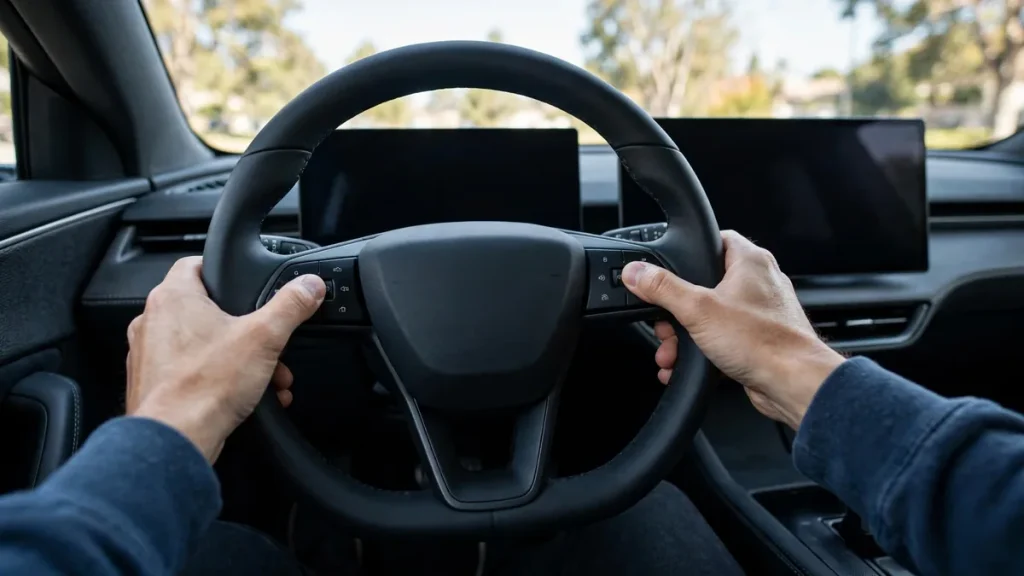
Unplug the cable. Press and hold the left and right buttons on the steering wheel simultaneously until the displays go dark. Wait 60 seconds for the system to restart. After the reboot, wait 90 seconds, then firmly reconnect the cable and wait for the handshake to complete (up to 60 seconds).
Step 3: Clean the charge port
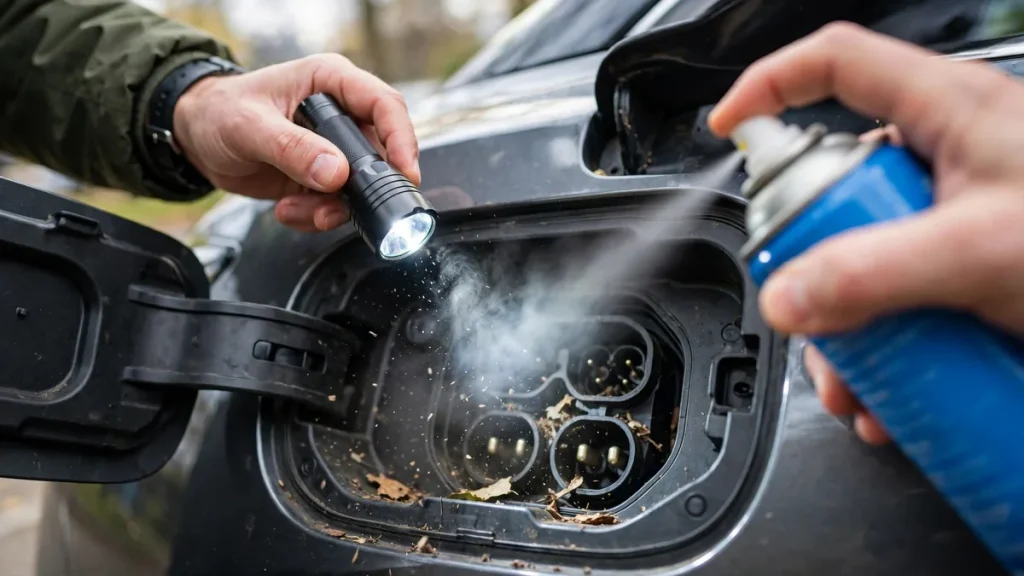
Inspect the Rivian’s CCS charge port with a flashlight. Use compressed air to clear any debris from the DC charging pins. Reinsert the connector firmly after cleaning.
Step 4: Check for software updates
Open the Rivian app → Software → Check for Updates. If an update is available, install it (connected to Wi-Fi). After the update, retry the charging session at a CCS station.
Step 5: Try a different charging network
Try charging at a different CCS network to isolate whether the issue is specific to one network’s charger firmware. If the Rivian charges successfully at another network, the original network has a compatibility issue with your specific Rivian software version, report it to both Rivian and the charging network operator.
Step 6: Contact Rivian Service
If the Charge System Fault persists across all networks with current software and a warm battery, contact Rivian Support through the Rivian app or at 1-888-748-4261. Rivian’s mobile service team can perform initial diagnostics at your location in most service areas, often faster than scheduling a service center visit. The 8-year/175,000-mile battery warranty covers charging system hardware faults.
Rivian Adventure Network vs. Third-Party CCS
Rivian’s proprietary Adventure Network chargers are designed specifically for R1T and R1S vehicles, the highest compatibility with the lowest rate of Charge System Faults. If you’re consistently experiencing faults at third-party CCS stations but not at Rivian’s own network, this is consistent with a CCS compatibility issue rather than a vehicle hardware fault. Prioritize Rivian Adventure Network chargers for reliability and use third-party CCS as a backup.
FAQs
My Rivian gets a Charge System Fault at Electrify America but works at the Rivian network: why?
EA and Rivian use different CCS protocol implementations. If the Rivian’s CCS software and EA’s specific station firmware have a handshake disagreement, sessions fail. This is a known pattern that Rivian has addressed through multiple OTA updates. Ensure the Rivian is on the latest software. Report the specific EA location and stall to Rivian’s support team, they track compatibility issues across networks and push fixes in subsequent OTA releases.
Is a Rivian Charge System Fault dangerous?
No, a Charge System Fault means the charging session didn’t start or was stopped safely, not that the battery is in an unsafe state. The Rivian’s safety systems work correctly, they prevent charging when the handshake can’t be confirmed. The fault is frustrating but not dangerous. Drive to a working stall or the Rivian Adventure Network and charge normally.
Conclusion
Rivian Charge System Fault at CCS stations is almost always a stall fault or CCS compatibility issue, not a vehicle hardware problem. Move stalls, reboot the vehicle, ensure the software is current, and try a different network. Persistent faults across all networks with current software indicate a vehicle-side charging system fault that needs Rivian service. The Rivian Adventure Network provides the most reliable charging experience for Rivian vehicles, use it when available. The 8-year/175,000-mile battery warranty covers charging hardware faults.