
Ford Lightning Charge Port Error: Complete Fix Guide

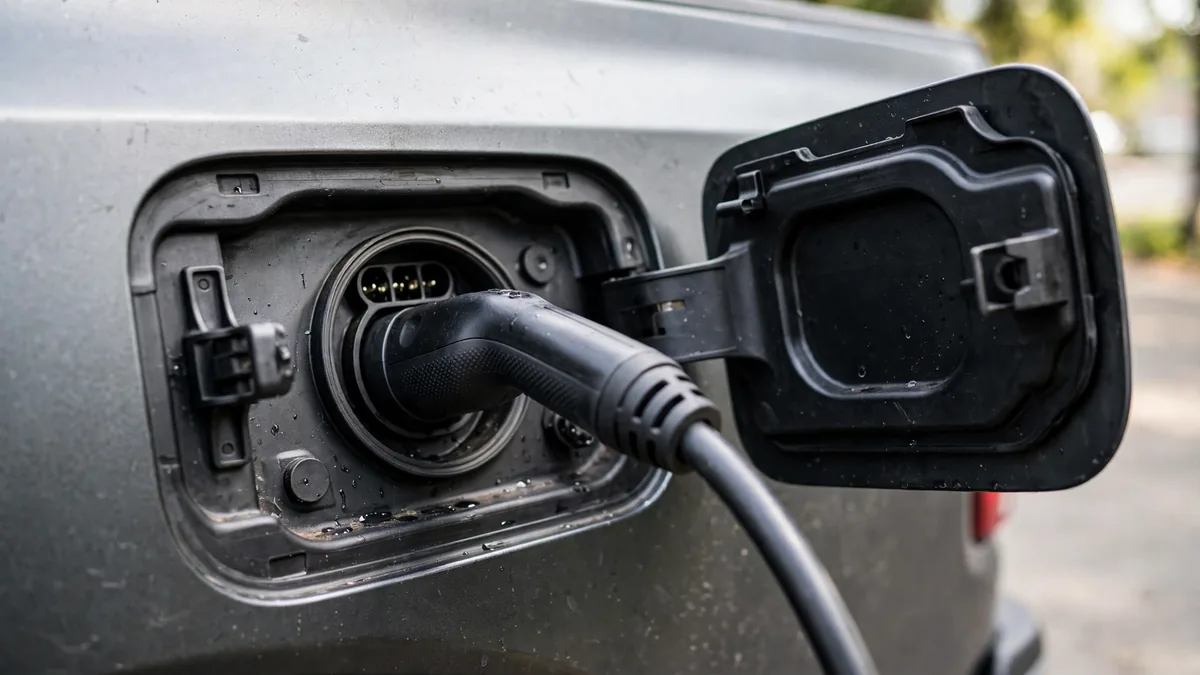
Your Ford F-150 Lightning or Mustang Mach-E has a charge port error, the cable won’t release, the port won’t open, charging won’t initiate, or you’re seeing a charge port-specific error code in FordPass. This guide covers every Ford EV charge port error with specific fixes for each scenario.
This guide belongs to our brand-specific battery problems section. For the full overview, see Audi e-tron Battery Problems.
Short Version
Ford EV charge port errors most commonly result from the electronic latch failing to engage or release, a frozen port in cold weather, or a FordPass communication issue that can be resolved through the app. The fix in most cases is using the FordPass app’s charge port unlock command, rebooting the vehicle, or using the vehicle’s manual charge port release. Persistent port errors indicate a latch assembly fault requiring dealer service.
Ford EV Charge Port Error Types
Error 1: “Charge Port Error” in FordPass or instrument cluster
This generic message indicates the charge port system detected an abnormal condition, typically either the latch not confirming engagement when plugged in, or not confirming release when trying to unplug. The message may appear on the cluster, in FordPass, or both simultaneously.
Fix:
- Open FordPass → Your Vehicle → Charging → Unlock Charge Port
- Wait 15 seconds
- Try removing or inserting the cable
- If unsuccessful: reboot the vehicle (hold the power button for 10 seconds with the truck in Park)
- After reboot, try the FordPass unlock command again
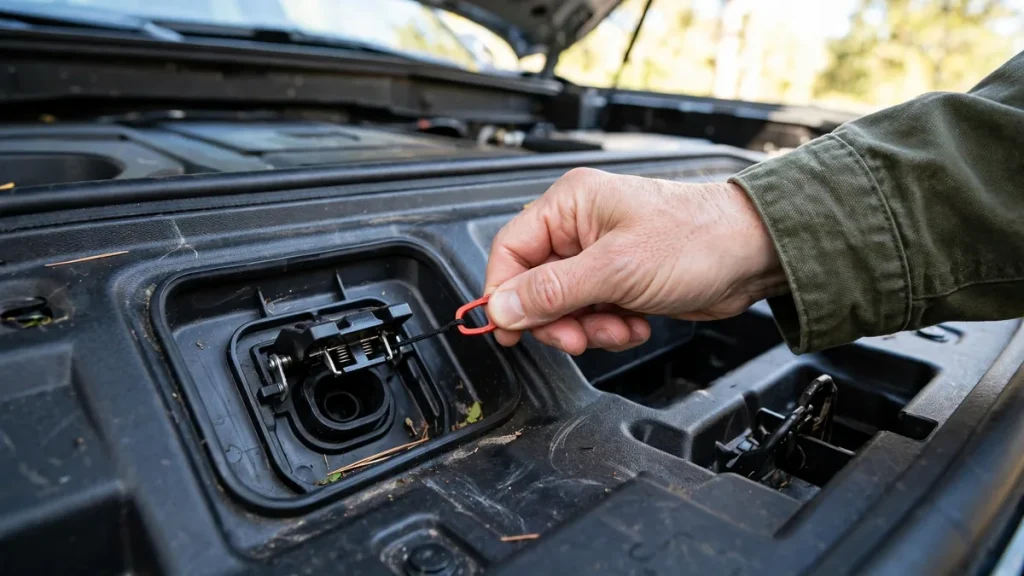
- If still stuck: use the manual charge port release
Error 2: Charging cable stuck and won’t release
The latch is electronically stuck in the locked position and won’t release through normal means.
FordPass app release: FordPass → Charging → Unlock Charge Port. This is the first step and works in most cases.
Manual release for F-150 Lightning: Open the frunk (front trunk). Look for the charge port release pull tab on the left side of the frunk cavity, a small loop or handle that, when pulled, mechanically releases the charge port latch. The specific location varies slightly by production date, check the F-150 Lightning Owner’s Manual for your specific build’s location.
Manual release for Mustang Mach-E: Open the liftgate. Look inside the rear cargo area on the left wall near the top corner for the charge port emergency release. Pull firmly to release.
⚠️ After using the manual release, don’t drive until the port is inspected by Ford service. The port may not re-engage the safety latch correctly.
Error 3: Charge port won’t open
The charge port door won’t open when you press the port button or tap the door.
- Confirm the vehicle is unlocked, the charge port won’t open on a locked Ford EV
- In cold weather, the door seal may be frozen, use FordPass preconditioning to warm the area before forcing the door
- Use FordPass → Charging → Open Charge Port to open electronically
- If the door motor is failed, this requires dealer service
Error 4: Charging won’t initiate: port appears open and connected but no charge
The connector is physically inserted but the charging session doesn’t start.
- Check FordPass for a scheduled charging delay, tap “Charge Now” to override
- Check the charge limit, if battery is at or above the set limit, charging won’t start
- Remove the cable completely, wait 30 seconds, reinsert firmly until the latch click is confirmed
- Reboot the vehicle and try again
- Try a different EVSE if the issue persists
Error 5: Charge port latch Technical Service Bulletin (TSB)
Ford issued Technical Service Bulletins for the Mustang Mach-E specifically addressing charge port latch calibration and actuator issues on certain production runs. If a Mach-E’s charge port has recurring latch problems, ask the dealer to check for open TSBs related to the charge port before authorizing any paid repair. TSB repairs are typically performed at no cost to the owner.
Error 6: Charge port error in cold weather: ice and freezing
In sub-freezing temperatures, the charge port door seal and latch mechanism can freeze, preventing normal operation. Use FordPass’s remote preconditioning to warm the port area before attempting to insert or remove a cable in freezing weather. A commercial de-icing spray applied to the door seal area (not directly into the port) helps. Do not pour hot water on the charge port, rapid temperature change can stress the components.
Charge Port Latch Wear: Progressive Failure Signs
If the charge port latch error appears occasionally and then more and more frequently over time, the latch actuator is wearing out. Signs of progressive failure:
- Errors that require 2–3 app command attempts to resolve (where previously one worked)
- Latch that makes a grinding or clicking sound during engagement/release
- Intermittent errors that were never present before but now appear 1–2 times per week
Progressive latch failures should be addressed before they become a complete stuck-cable situation. Schedule Ford service proactively, the basic vehicle warranty (3 years/36,000 miles) covers the latch assembly. Out of warranty, typical dealer repair cost is $200–$500 for the charge port assembly.
FordPass App Charge Port Commands
- Open Charge Port: Sends an electronic open command to the port door and latch
- Lock / Unlock Charge Port: Toggles the latch between locked and unlocked states
- Stop Charging: Stops an active session, which also triggers a latch release sequence
- Charge Now: Overrides a scheduled delay and starts charging immediately
FAQs
My Lightning’s cable has been stuck for several hours: is there any urgency?
No immediate safety concern from a stuck cable in a latch fault state, the charging session isn’t active in the fault state. However, a cable stuck at a public charging station means others can’t use that stall. Use the frunk’s manual release cord to free the cable, then schedule Ford service. Report the situation to the charging network so they can mark the stall as available.
For a related problem, see Chevy Bolt Battery Problems: What Owners Report.
Is the charge port error covered under the Ford Lightning’s battery warranty?
The charge port latch is typically covered under the basic vehicle warranty (3 years/36,000 miles) rather than the 8-year battery warranty, it’s a mechanical/electrical component, not a battery system component. The 8-year battery warranty covers the high-voltage battery and its charging electronics. If the charge port fault is determined to be related to the onboard charging module or HV system, that portion may fall under the battery warranty. Ask the dealer specifically which warranty applies before authorizing any repair.
Conclusion
Ford EV charge port errors are most often resolved through FordPass’s charge port unlock command and a vehicle reboot. Cold weather issues are addressed by preconditioning through FordPass before attempting to connect or disconnect. A cable stuck despite FordPass commands and a reboot requires the vehicle’s manual emergency release cord. Progressive or recurring latch errors indicate a failing actuator, schedule dealer service promptly and check for open TSBs. The basic 3-year/36,000-mile vehicle warranty covers latch hardware faults.