
Diagnosing EV Battery Cell Imbalance: Step-by-Step Guide

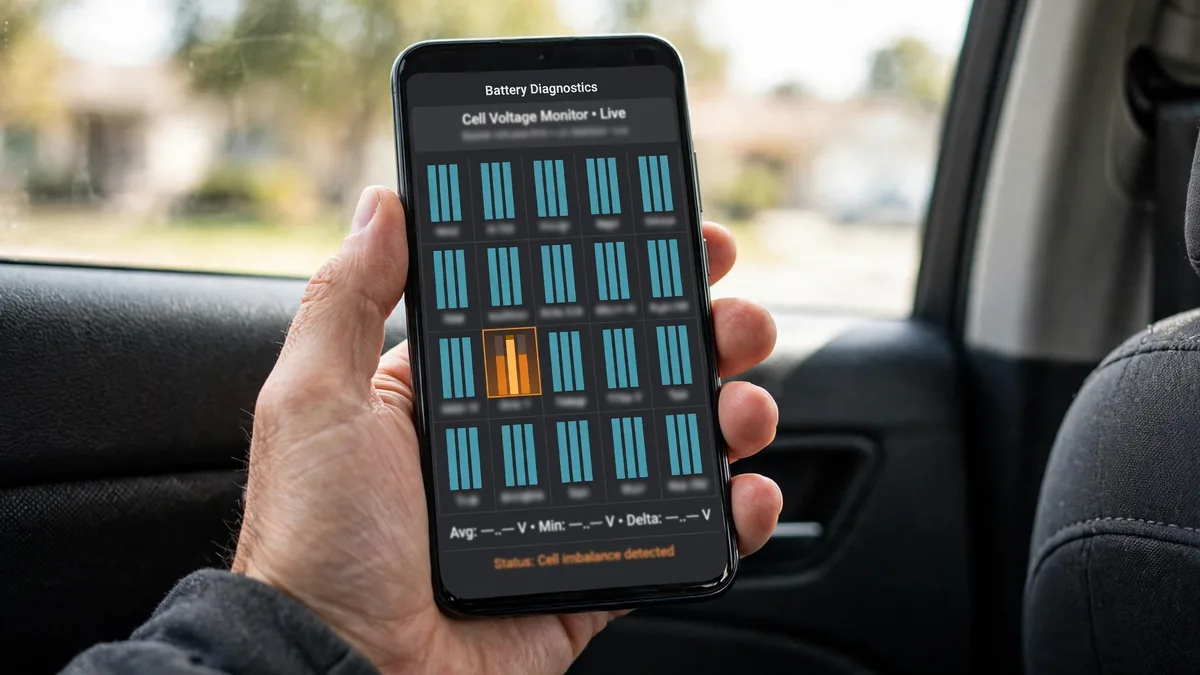
Cell imbalance in an EV battery pack means some cell groups hold noticeably more or less charge than others at the same state of charge. Left unaddressed, imbalance reduces usable capacity, triggers battery warnings, and accelerates degradation of the weaker cells. This guide gives you a step-by-step process for diagnosing EV battery cell imbalance at home.
This guide belongs to our battery health section. For the full overview, see Why an EV Battery SOH Reading Can Be Incorrect.
At a Glance
EV battery cell imbalance is diagnosed by reading individual cell group voltages with a compatible OBD2 scanner and comparing them to the pack average. At 50% SOC, all groups should read within 20–30 mV of each other. A spread above 100 mV indicates significant imbalance requiring attention. Spreads above 200 mV at 50% SOC indicate a potentially failed or failing cell group requiring dealer inspection. For more on what an outlier this severe usually means, see our guide on signs of a bad cell in an EV battery pack.
What You Need for Cell Imbalance Diagnosis
- Compatible OBD2 adapter, OBDLink MX+ ($120) works across most EVs with appropriate apps; BAFX Bluetooth ($25) for Nissan Leaf with LeafSpy
- Compatible diagnostic app:
- Nissan Leaf: LeafSpy Pro ($14.99)
- Tesla: ScanMyTesla (free, Android)
- Chevy Bolt: Car Scanner ELM OBD2 + OBDLink MX+
- Hyundai Ioniq 5 / Kia EV6: Car Scanner or EVBatMon + OBDLink MX+
- VW ID.4 / Audi e-tron: OBDeleven Pro adapter + app
- Ford Mach-E / Lightning: FORScan + FORScan adapter
- The car at a stable 40–60% SOC, not immediately after charging or heavy discharge
- 15–30 minutes of rest time, cell voltages are most accurate after resting, not immediately after a charge or discharge event
Step-by-Step Cell Imbalance Diagnosis
Step 1: Bring the battery to 40–60% SOC and let it rest
Drive or charge the battery to approximately 50% SOC. Park and wait 15–20 minutes without starting the car or running any active features. This rest period allows surface charge to dissipate from the cells and voltages to settle to open-circuit values, the most accurate state for imbalance diagnosis. Don’t test immediately after DC fast charging or hard driving.
Step 2: Connect the OBD2 adapter and launch the diagnostic app
Plug the OBD2 adapter into the OBD2 port (typically under the dashboard on the driver’s side, behind a small cover). Launch your app and allow it to connect. Wait for the app to finish initializing the BMS connection, this typically takes 15–30 seconds.

Step 3: Navigate to cell voltage readings
Within each app:
- LeafSpy (Leaf): Tap the “Battery” tab → scroll down to cell group voltages. Groups labeled 1–96 (24 kWh Leaf) or 1–192 (40/62 kWh). Each shows individual voltage in mV.
- ScanMyTesla: BMS → Cells → shows all brick voltages in a grid. Hover over the lowest and highest reading.
- Car Scanner (Bolt/Ioniq 5/EV6): Dashboard → BMS PIDs → Cell Voltage 1 through Cell Voltage N. May require enabling the relevant PID set for your vehicle.
- OBDeleven (VW/Audi): Module → Battery Management System → Live Data → Cell Voltages.
- FORScan (Ford): BMS module → live data → cell block voltages.
Step 4: Record all cell group voltages
Most apps allow you to export or screenshot the readings. Record:
- Minimum cell group voltage
- Maximum cell group voltage
- Average cell group voltage
- The spread (max minus min)
- Which numbered group shows the lowest voltage

Step 5: Interpret the spread
| Voltage Spread at 50% SOC | Assessment | Action |
|---|---|---|
| 0–20 mV | Excellent balance | No action needed |
| 20–50 mV | Good, minor natural variation | Monitor at next check |
| 50–100 mV | Moderate imbalance | Run full recalibration cycle; recheck |
| 100–200 mV | Significant imbalance | Professional reconditioning or dealer check |
| 200+ mV | Severe, cell group likely failing | Dealer inspection; module replacement likely |
Step 6: Test at multiple SOC levels for confirmation
Cell imbalance is most pronounced at the extremes of SOC, near 10% and near 90%. A group that reads only 30 mV below average at 50% SOC may read 150 mV below average at 15% SOC. Testing at a low SOC (15–20%) after the initial 50% test reveals imbalance that isn’t visible at mid-range, and this low-SOC spread is what triggers battery warnings during discharge.
Step 7: Correlate with OBD2 fault codes
Read all stored fault codes from the BMS module. If a cell voltage fault code is present and corresponds to the same cell group number showing the lowest voltage in your readings, this confirms the BMS also identified that group as the outlier. This correlation strengthens the diagnosis and provides the specific information a dealer needs to authorize a warranty module replacement.
Causes of Cell Imbalance
- Normal aging variation: Cells age at slightly different rates, minor imbalance develops naturally over years of use
- Never running a full cycle: Always charging between 20–80% prevents the BMS’s passive balancing from reaching full effectiveness, the balancing circuit only runs near full charge
- One cell group with higher degradation: Manufacturing variation, thermal differences within the pack, or localized mechanical stress can cause one group to degrade faster
- Deep discharge event: Running to 0% and some cells going below minimum triggers irreversible chemistry changes in those cells. See our guide on recovering an EV battery after deep discharge if this applies to your situation.
- Thermal gradient in the pack: Cells near the edges of the pack in a passively cooled system (Nissan Leaf) run hotter and degrade faster than center cells
FAQs
Can I fix cell imbalance myself?
For mild imbalance (50–100 mV spread): run a BMS recalibration cycle (10% → 100% charge → 1 hour hold). The BMS’s passive cell balancing circuit runs most aggressively at full charge and can reduce spread by 20–50 mV over 2–3 full cycles. For more significant imbalance (100–200 mV): professional battery reconditioning using external cycling equipment provides more aggressive balancing than the car’s internal system. For severe imbalance (200+ mV): module replacement is the definitive fix, balancing won’t restore a severely degraded cell group. See our honest breakdown of what EV battery reconditioning can and cannot do before paying for the service.
For a related problem, see What Does EV Battery Reconditioning Do and When Is It Needed.
My Nissan Leaf shows 80 mV spread: should I recondition or replace?
At 80 mV spread on a Leaf, try a recalibration cycle first. Run 3 complete cycles (10% → 100%, 1 hour hold, normal driving). Recheck the spread with LeafSpy after each cycle. If the spread reduces to 30–40 mV, the battery was primarily imbalanced rather than severely degraded. If the spread remains above 70 mV after 3 cycles, professional reconditioning or dealer inspection is warranted.
Conclusion
Cell imbalance diagnosis requires an OBD2 adapter and a compatible app, the specific combination depends on your EV brand. At 50% SOC after resting, all groups should read within 20–30 mV. Spreads above 100 mV warrant action, recalibration cycles for mild cases, professional reconditioning for moderate, dealer inspection and module replacement for severe. The specific cell group number from the diagnostic tells the dealer exactly where the problem is located, which speeds the warranty evaluation and repair process.