
Why Is My EV Battery Draining Overnight

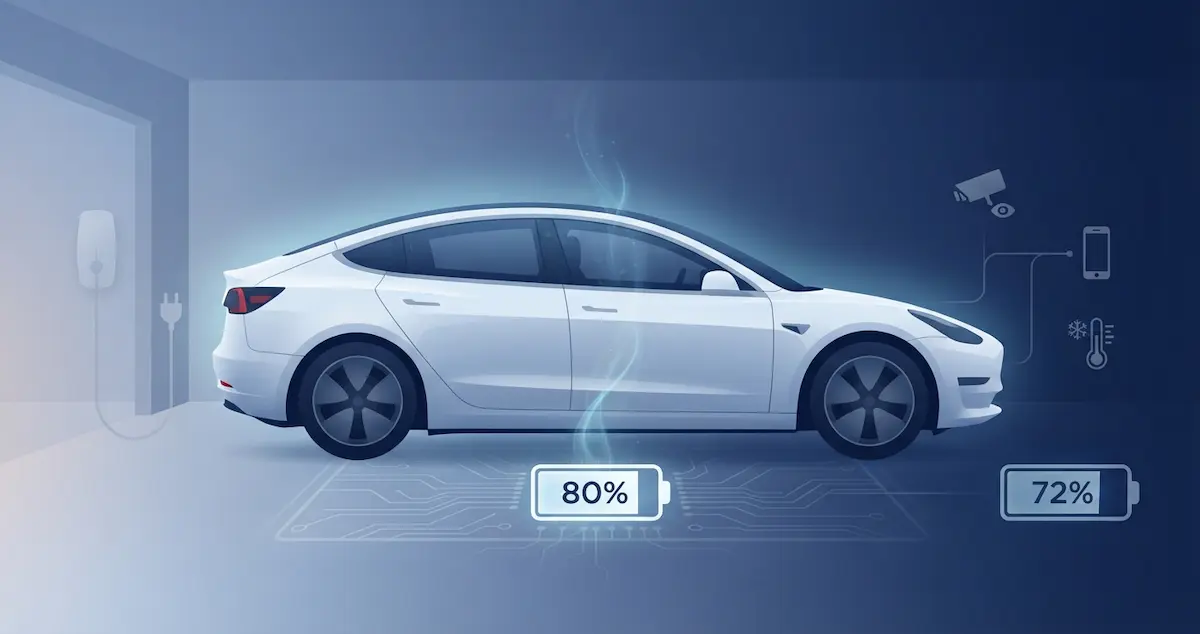
You plug in your EV at night with 80% battery. You wake up, and it’s at 72%, and it wasn’t charging. Or it was plugged in but somehow lost charge anyway. Overnight battery drain is one of the most common EV complaints. This guide explains every reason your EV loses battery overnight and exactly what to do to stop it.
Some overnight loss is normal. For longer parking, see How Long Can You Leave an EV Parked Without Battery Problems. This guide belongs to EV battery drain and energy loss.
Short Version
EVs are never truly “off” when parked, the battery management system, cellular modem, GPS, security sensors, and connected services all draw power continuously. A normal overnight drain is 1–3% for most EVs. Anything above 5% per night indicates an above-normal drain source: Sentry Mode, climate preconditioning left active, a scheduled departure keeping systems awake, or a software bug. Identify the source with your companion app’s energy report, then eliminate it.
What Is Normal Overnight Drain?
| EV Model | Normal Overnight Drain | With Active Features (Sentry, Climate) |
|---|---|---|
| Tesla Model 3 / Y | 1–2% | 5–15% (Sentry Mode active) |
| Tesla Model S / X | 1–3% | 5–15% (older hardware uses more) |
| Chevy Bolt | 0.5–1% | 1–2% (minimal connected features) |
| Nissan Leaf | 0.5–1% | 1–2% |
| Hyundai Ioniq 5 | 1–2% | 2–4% |
| Kia EV6 | 1–2% | 2–4% |
| Ford Mach-E / Lightning | 1–3% | 2–5% |
| Rivian R1T / R1S | 1–3% | 2–5% |
| VW ID.4 | 1–2% | 2–3% |
If your overnight drain falls within these ranges, your EV is behaving normally. If it’s noticeably above these numbers, there’s an above-normal drain source to identify and address.
Causes of Excessive Overnight Battery Drain
Cause 1: Sentry Mode or security monitoring left active (Tesla)
Tesla’s Sentry Mode uses cameras, ultrasonic sensors, and onboard computers to monitor the car 24/7 while parked. It draws 3–5 miles of range per hour depending on the model, up to 72–120 miles of range lost per day. If Sentry Mode is enabled without location-based exclusions, it runs all night at home, every night.
Fix: In the Tesla app → Security → Sentry Mode → Exclude home, work, and favorite locations. The car will disable Sentry Mode automatically at trusted locations while keeping it active elsewhere.
Cause 2: Climate preconditioning or Scheduled Departure left active
If Scheduled Departure is enabled with a departure time, the car begins preconditioning the cabin and battery in the hour before that time, every day, regardless of whether you actually plan to drive. If the scheduled departure time is set incorrectly or the car is left unplugged, this draws significant battery power.
Fix: Check the Scheduled Departure settings in your companion app. If you don’t need it daily, disable it. Always leave the car plugged in when a departure schedule is set, preconditioning pulls from the grid when plugged in, not from the battery.
Cause 3: Always-on connected services
Modern EVs maintain cellular connectivity around the clock for remote app access, over-the-air updates, and telemetry. The cellular modem, GPS unit, and telematics control module draw continuous low-level power. This accounts for the baseline 1–2% overnight drain on most EVs, it’s expected and unavoidable without disabling remote access features. This invisible baseline consumption is often called “ghost drain”.
Some EVs have settings to reduce the aggressiveness of connectivity. On Tesla: Settings → Safety → Allow Mobile Access → Off (disables remote access but eliminates most standby draw). This is extreme, most owners prefer to keep remote access enabled.
Cause 4: BMS cell balancing: necessary overnight process
When fully charged, the BMS actively balances individual cell groups to equalize their voltage. This process draws a small amount of energy, typically 0.5–1% over several hours. It’s most active right after a full charge is completed. Some owners see a 1–2% drain in the first few hours after reaching 100% charge even while plugged in, this is the BMS balancing cells using battery power before the charger compensates.
This is normal and necessary.** It’s most visible when charging to 100% and leaving the car unmonitored for several hours. No fix needed, it’s healthy battery maintenance.
Cause 5: HVAC maintaining cabin temperature
Many EVs have cabin temperature limits, they automatically run the HVAC to prevent the cabin from getting dangerously hot or cold. Tesla’s Cabin Overheat Protection activates when interior temps exceed 105°F. Some EVs maintain a minimum cabin temperature for pet-safety features. When these features run on battery power (car unplugged), they draw power all night.
Fix: Keep the car plugged in overnight whenever the HVAC is enabled. When unplugged, disable cabin temperature maintenance features if overnight drain is a concern.
Cause 6: Software bug or update downloading
An OTA software update that downloads or installs overnight keeps multiple systems active, the cellular modem at full transmit power, the main computer running the update process, and, in some cases, the BMS active during the update. This is temporary, once the update completes, normal standby power returns. If overnight drain is consistently high across many nights, a software bug in the current firmware version may be keeping systems unnecessarily active. Check owner community forums for your specific software version and drain reports.
Cause 7: 12V battery charging from the HV pack
EVs use the HV battery to maintain the 12V auxiliary battery charge through a DC-DC converter. If the 12V battery is aging and holds charge poorly, the DC-DC converter runs more frequently and for longer periods, increasing HV battery draw. A weak 12V battery that requires frequent recharging from the HV pack contributes to above-normal overnight drain. Test the 12V battery if overnight drain is high and all other causes have been eliminated.
Cause 8: Third-party apps or accessories drawing power
Third-party apps that access the vehicle’s API (Tesla apps, dealership monitoring apps, insurance telematics) can keep the car’s network stack awake by repeatedly polling the vehicle throughout the night. Each API poll wakes the car’s systems, if polling happens every few minutes, the car never fully sleeps. Similarly, accessories plugged into the 12V outlet (dash cams, OBD2 adapters left plugged in) can draw power continuously.
Fix: Disconnect OBD2 adapters overnight. Audit third-party apps, remove or reduce the polling frequency of any app that accesses the vehicle API. Most third-party Tesla apps have a “sleep mode” setting that reduces API polling overnight.
How to Identify Your Overnight Drain Source
Step 1: Check the companion app energy report
Most EV companion apps provide a breakdown of energy consumption by category. Tesla’s app shows energy usage by climate, driving, and standby. Ford’s FordPass shows similar categories. Hyundai’s Bluelink provides a charge history that can reveal overnight consumption. This is your first stop, the app tells you what’s consuming the energy without any tools.
If the 12V battery is what goes flat, see Why Does My EV Need a Jump Start?.
Step 2: Disable features one at a time and monitor
Turn off Sentry Mode (if applicable) for one night and measure drain. If drain drops noticeably, Sentry Mode was the cause. Then re-enable and disable Scheduled Departure. Then audit third-party apps. This systematic approach isolates the specific drain source without guessing.
Step 3: OBD2 scan if drain remains high
If overnight drain remains above 5% after disabling all known drain sources, get an OBD2 scan. A fault code in the BMS, thermal management system, or power electronics can cause above-normal quiescent current draw. The scan identifies whether there’s an underlying hardware or software fault driving the consumption.
How to Stop Overnight EV Battery Drain
- Keep the car plugged in: When plugged in, standby power comes from the grid, not the battery. Overnight drain is only a concern when the unit is unplugged.
- Exclude trusted locations from Sentry Mode: Home and work should always be excluded to eliminate the largest single source of drain.
- Disable or set departure schedules correctly: Ensure Scheduled Departure isn’t scheduled for an incorrect time and that the car is plugged in when it is active.
- Disconnect OBD2 adapters overnight: These draw power and can keep the car’s network stack awake.
- Reduce third-party app polling frequency: Enable sleep mode in third-party vehicle apps.
- Keep software updated: Manufacturers regularly fix excessive standby-drain bugs via OTA updates.
These habits are the same core principles that prevent all forms of battery loss while parked, not just overnight drain.
Bottom Line
An overnight EV battery drain of 1–3% is normal, connected services, BMS activity, and baseline standby draw account for it. Above 5% overnight points to Sentry Mode, climate systems, third-party app polling, or a software fault. Keep the car plugged in overnight (drain then comes from the grid), exclude home from Sentry Mode, disable or correctly set departure schedules, and disconnect OBD2 adapters. If the drain remains above 5% after addressing all known sources, get an OBD2 scan to identify any underlying fault codes.