
Why Is My EV Losing Battery Charge While Parked?

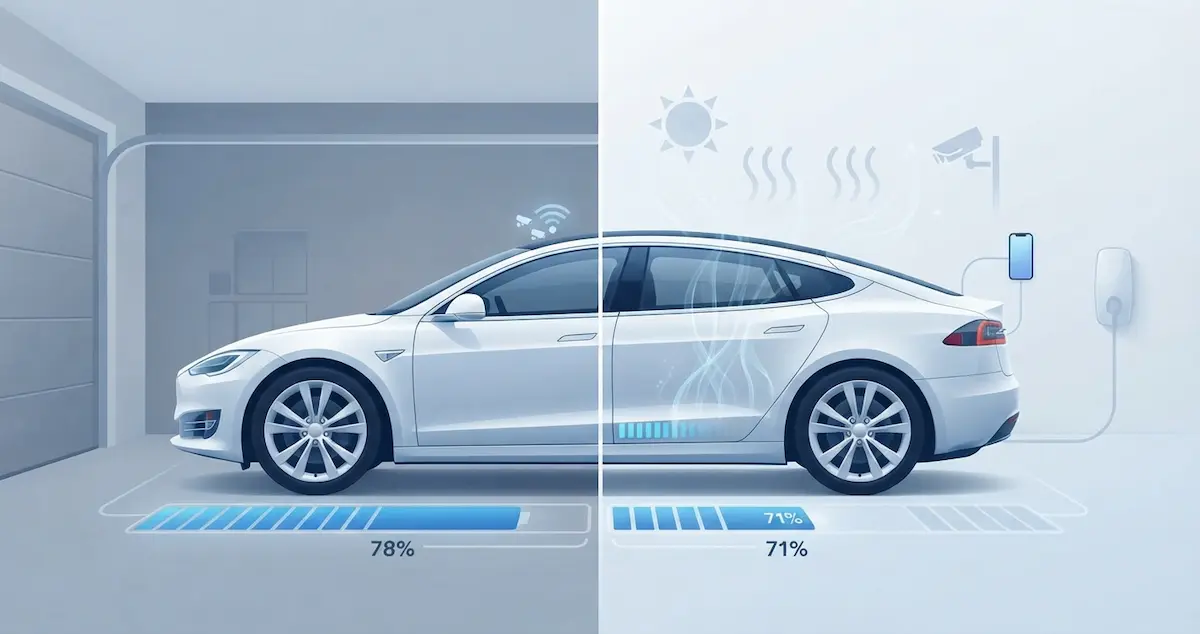
You drove your EV home and parked it with a solid charge, 75%, 80%, maybe more. You came back an hour later, and the percentage is lower. Or you left it overnight, and it dropped noticeably without being charged. EV batteries losing charge while parked is one of the most common concerns among owners. This guide covers every cause of battery loss while parked and the exact fix for each.
This guide explains charge loss in a parked EV and belongs to EV range problems. For overnight loss in particular, see Why Is My EV Battery Draining Overnight.
The Short Answer
EVs lose battery charge while parked because they never fully power down, cellular connectivity, security systems, battery thermal management, and always-on features like Tesla’s Sentry Mode all draw power continuously. Losing 1–2% per day is completely normal. Losing more than 3–5% per day means an active feature is running and should be addressed. Plugging in while parked eliminates this issue entirely.
Why EVs Lose Charge When Parked
Always-on systems that never sleep
Unlike a phone that can be powered off, EVs remain in continuous standby. These include cellular connectivity to manufacturer servers (for remote access, OTA updates, and diagnostics), GPS location tracking, Bluetooth beacon for key detection, alarm system monitoring, and the BMS itself, which continuously balances cell voltages and monitors pack health even when the car is off. All of these draw a small but continuous current from the 12V battery, which is replenished by the main pack via the DC-DC converter, resulting in a slow main pack drain.
Active features intentionally drawing power
Beyond the standby baseline, many EVs have optional features that draw significant power while parked. Tesla’s Sentry Mode uses cameras and processors to monitor for threats, drawing 1–3 miles of range per hour (15–50+ miles per day). Rivian’s Camp Mode maintains comfortable interior temperatures. Tesla’s Dog Mode and Keep Climate On run the A/C or heater continuously. Any of these left active will drain the battery much faster than standby alone.
Thermal management in extreme weather
In very hot weather (above 95°F), the battery cooling system activates to prevent cell damage from heat, even while parked. In very cold weather (below 20°F), some EVs use battery heating to keep the battery temperature above the minimum threshold for charging. Both of these draw power from the battery pack, and neither can be disabled because they’re protecting the hardware. The solution is to plug in so the car runs these systems on grid power.
Software bugs or stuck wake states
Occasionally, a software bug causes the car’s control modules to remain active (awake) when they should go to sleep. An awake BMS or infotainment module draws noticeably more power than a sleeping one. If the drain is abnormally high and all active features are off, a software wake-state bug may be present, often fixed by the next OTA update.
How Much Is Normal?
| Daily Drain While Parked | Status | Likely Cause |
|---|---|---|
| 0.5–2% | Normal standby | Cellular, Bluetooth, BMS baseline |
| 2–5% | Acceptable | Mild climate management or passive features |
| 5–10% | Active feature running | Sentry Mode, climate, Dog Mode |
| 10–20% | High, investigate | Climate on full, multiple active features |
| 20%+ | Very high, act now | Keep Climate On, Camp Mode, or software bug |
How to Find Out What’s Draining Your Battery
Step 1: Open the companion app
Every major EV has a companion app that shows what’s currently active. Open the app while the car is parked and look for:
- Tesla app: Check Controls → Safety → Sentry Mode. Check Climate to see if it’s running. Check Energy app history for a breakdown of where parked energy went.
- Hyundai Bluelink / Kia Connect: Check if remote climate was left on.
- Rivian app: Check for active Camp Mode or Keep Cabin On setting.
- FordPass: Check if remote start or remote climate is active.
- myChevrolet: Check for any active remote commands or scheduled events.
Step 2: Calculate the drain rate
Note the percentage when you park. Note it when you return. Divide the percentage lost by hours parked to get a rate. Above 0.4% per hour (10% per day) is elevated and warrants investigation to determine the cause. 0.1% per hour or less is normal standby.
Step 3: Rule out weather effects
Check the outdoor temperature. If it was above 95°F or below 20°F, thermal management likely ran and accounted for some of the drain. This is protective behavior, not a fault, but plugging in eliminates this drain by powering thermal management with grid power.
Step 4: Check for a software issue
If drain is high and no features are active, check whether a recent software update preceded the change. Search owner forums for your vehicle model and software version, if others report the same unexplained drain after the same update, it’s a known bug and a fix is likely in progress.
How to Stop Your EV Losing Charge While Parked
Fix 1: Plug in whenever parked (most effective)
When the car is plugged in, standby systems and thermal management draw power from the grid rather than the battery. The car maintains charge rather than slowly losing it. This is the single most effective solution and costs almost nothing in electricity, standby power draw is measured in watts, not kilowatts.
Fix 2: Disable Sentry Mode at home (Tesla)
Go to the Tesla app → Controls → Safety → Sentry Mode → Exclude Home. With your home address set in the navigation system, the car will automatically disable Sentry Mode whenever you’re parked at home. This alone typically reduces overnight Tesla drain from 5–15% to 1–3%.
Fix 3: Check and disable Keep Climate On, Dog Mode, Camp Mode
Before leaving the car, always verify these features are off if you don’t need them. A quick habit of checking the climate control and mode settings before locking the car prevents accidentally leaving the A/C or heater running for hours.
Fix 4: Park in shade or a garage in extreme weather
Moderate parking temperatures mean less thermal management work from the BMS. A car parked in a garage in summer runs the cooling system far less than one in direct sun. In winter, a garage reduces heating demands similarly. Either way, controlled parking temperatures reduce parked drain noticeably.
Fix 5: Keep software updated
Manufacturers regularly push OTA updates that improve standby power management, reducing how aggressively background processes run and improving sleep mode behavior. Keeping the car’s software current is one of the simplest ways to reduce parked drain over the car’s lifetime. Tesla, Rivian, Ford, Hyundai, Kia, and VW have all specifically addressed excessive standby drain in documented OTA update changelogs.
Does Parked Battery Drain Damage the Battery?
Normal standby drain of 1–2% per day does not damage the battery. Deep discharge from extended parked drain, leaving the car unplugged for weeks and letting it drop below 5%, can cause problems. When the main battery drops too low, the 12V auxiliary battery loses its recharge source and may die, leaving the car unable to start. Extremely deep discharge (prolonged storage at 0%) can cause permanent BMS lock states requiring dealer intervention. Always park with at least 20% charge if leaving the car for an extended period, and plug in for storage longer than 2 weeks.
Drive mode also changes range. See why range differs in Sport and Eco mode.
Brand-Specific Parked Drain Notes
- Tesla: Highest standby drain of any major EV brand due to always-on cellular, Sentry Mode availability, and continuous data collection. Disable Sentry Mode at home and keep software updated to minimize drain.
- Rivian: Camp Mode is a significant drain if left on. Otherwise, standby drain is moderate. The large pack means percentage drain per day is lower even with the same absolute energy use.
- Chevy Bolt: One of the lowest standby drain rates in the class, typically 0.5–1% per day with no active features. The Bolt’s relatively simple software stack means fewer always-on background processes.
- Nissan Leaf: Low standby drain, but the lack of active thermal management means extreme weather causes more passive drain than actively managed packs.
- Hyundai Ioniq 5 / Kia EV6: Remote climate features pose the primary risk of drain. Moderate standby otherwise.
- Ford Mach-E / F-150 Lightning: FordPass connectivity causes some background drain. The Pro Power Onboard on the Lightning should be verified off when not in use, it can maintain active power systems if left enabled.
- VW ID.4: Generally low standby drain. No always-on security camera system like Tesla Sentry Mode.
- BMW i4 / Audi e-tron / Mercedes EQS: Moderate standby drain from connected car services. Premium models tend to have more always-on features than budget EVs, but also good overall power management.
What to Do for Long-Term Parking (Weeks or Months)
- Leave the car at 50–60% charge, the optimal long-term storage state of charge
- Plug in if possible, even a Level 1 outlet maintains charge against standby drain
- Disable all active features (Sentry Mode, climate schedules, remote access if possible)
- Park in a temperature-controlled environment if available
- Check the battery percentage remotely every 1–2 weeks via the app
- If you can’t plug in and the car will sit for more than 3 weeks, target leaving it at 50–60% to prevent deep discharge
When to Contact a Dealer
Contact a dealer if the car loses more than 5% per day with all active features definitively disabled and in moderate weather, if the drain rate changed suddenly without any change in software or features, if OBD2 data shows a module or component drawing excessive standby current, or if the battery drops to 0% unusually quickly even when starting well above empty, which can indicate a DC-DC converter fault.
Conclusion
EV battery drain while parked is normal up to 2% per day from unavoidable standby systems. Above that, identify and disable the active feature, Sentry Mode and climate control are the most common culprits. Plug in whenever parked to eliminate the concern entirely: standby power from the grid costs pennies and keeps the battery at the level you charged it to. For extended parking, leave at 50–60%, plug in if possible, and disable all active features. The single best habit any EV owner can build is plugging in every time the car is parked, it solves parked drain, keeps both batteries healthy, and means you always leave with a full charge.
FAQs
Is it normal for my EV to lose 3–4% overnight?
For most EVs with Sentry Mode, active security features, or connected car services, yes, 3–4% overnight is on the higher end of normal but not alarming. For EVs like the Chevy Bolt or Nissan Leaf with simpler always-on systems, 3–4% overnight is elevated and suggests an active feature is running. Check the companion app for what was active during that period.
Can I leave my EV parked for a month without plugging in?
You can, but start with at least 60% charge and disable all active features. Most EVs will lose 30–60% of charge over a month of unplugged standby (more with Sentry Mode, less with a Bolt). If the car drops below 10%, the 12V battery will eventually follow, which can cause starting problems. Always plug in for storage over 3–4 weeks when possible.
Why does my EV lose more charge parked in summer?
Hot weather activates the battery cooling system even while parked to protect the cells from heat damage. This protective thermal management draws 0.5–2 kW depending on how hot it gets, resulting in higher parked drain in summer than in mild weather. The only complete fix is plugging in so cooling runs from grid power, or parking in a shaded, cooler location to reduce how much cooling the car needs.