
Tesla Error Code CP_a139: What Does It Mean?

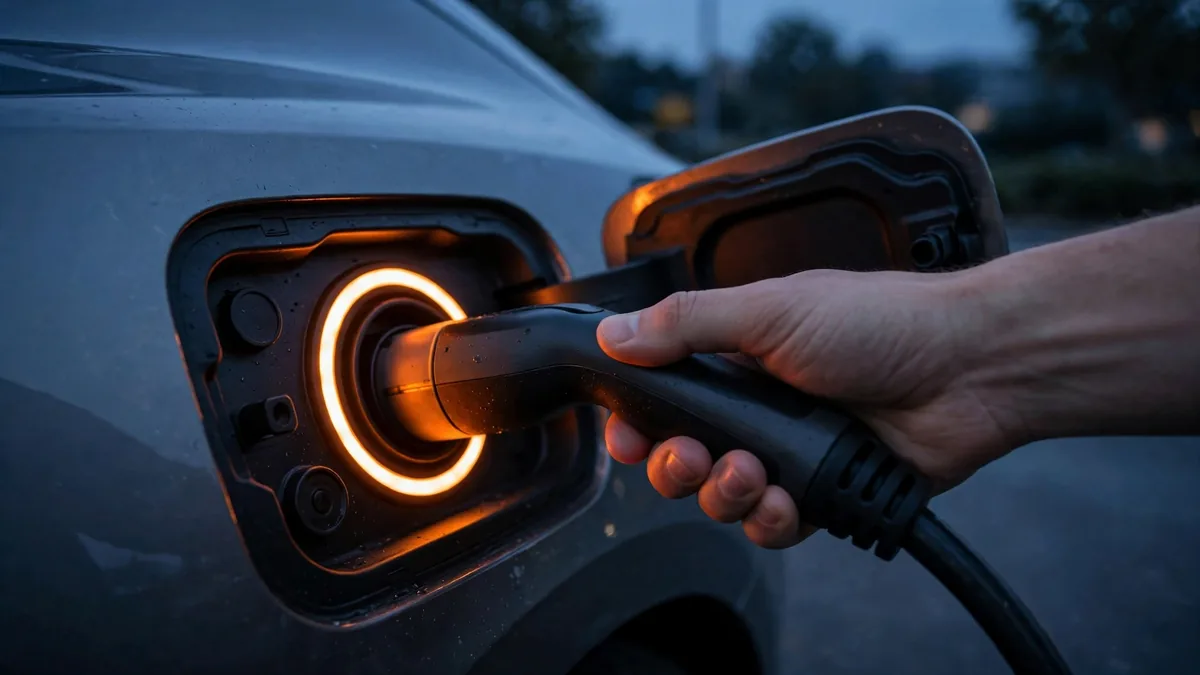
Your Tesla is showing error code CP_a139, or your charge port isn’t releasing, the port light is blinking, or charging won’t start at a Supercharger or home charger. CP_a139 is one of the most common Tesla fault codes. This guide explains exactly what it means, why it happens, and how to fix it, step by step.
This guide belongs to our warning lights and error codes section. For the full overview, see Cold Weather EV Battery Warnings.
Quick Answer
CP_a139 is a Tesla charge port latch fault. It means the charge port latch mechanism didn’t confirm a secure, complete connection, either the latch didn’t engage properly when plugging in, or it failed to release properly when trying to unplug. In most cases, CP_a139 is resolved by using the Tesla app’s charge port release function, a car reboot, or manually releasing the latch via the emergency release cord. Persistent CP_a139 faults indicate a failing charge port latch assembly.
What CP_a139 Actually Means
The Tesla charge port uses an electronic latch to lock the connector in place when charging. This latch is both a security feature (prevents theft of the charger) and a safety feature (prevents accidental disconnection while charging is active). The “CP” in CP_a139 stands for Charge Port. The “a” indicates an active alert. The “139” is Tesla’s internal code for the latch position sensor fault.
When this code appears, the BMS has detected that the latch sensor isn’t confirming the expected position, either “latched” when it should be, or “unlatched” when the connector is meant to be secured. The car responds by entering a protective state that may prevent charging from starting or the cable from being removed.
Symptoms Associated with CP_a139
- Charge port LED ring blinking orange or white continuously
- Cable won’t release when you try to unplug
- Charging won’t start despite a connected cable
- Supercharger or home charger shows “connected” but no charging begins
- Tesla app shows a charge port warning notification
- The charge port door blinks open/close repeatedly
Why CP_a139 Happens
Cause 1: Latch didn’t fully engage on insertion
If the connector wasn’t pushed fully into the charge port, the latch didn’t engage properly. The sensor reports a fault because the mechanical position doesn’t match what the BMS expects. This is the most common and most easily fixed cause, simply pressing the connector more firmly to ensure it fully seats solves it.
For a related problem, see Tesla Error Code BMS_a066: Explanation and Fix.
Cause 2: Debris in the charge port
Dirt, debris, or ice in the charge port can prevent the connector from seating fully or the latch from closing completely. The latch sensor reports an incomplete engagement, triggering CP_a139.
Cause 3: Frozen charge port in cold weather
Ice can prevent the latch mechanism from moving freely. In freezing temperatures, the latch may be physically stuck in the locked or unlocked position, causing the sensor to report an error regardless of what the connector is doing.
Cause 4: Latch actuator wear or failure
The charge port latch is a small electric actuator, a solenoid or motor that moves the latch pin. After thousands of cycles over years of daily charging, this actuator can wear and become unreliable. Intermittent CP_a139 that appears more and more frequently over months typically indicates a developing actuator failure. This requires a charge port latch assembly replacement at a Tesla service center.
Cause 5: Latch position sensor failure
Even if the latch itself moves correctly, a failed position sensor won’t confirm the movement to the BMS, triggering CP_a139 even when everything is physically working. This also requires a charge port assembly replacement.
Cause 6: Software glitch
Some CP_a139 alerts are transient software states, the BMS received a momentary erroneous signal from the latch sensor and stored the code. A car reboot clears these without any physical repair needed.
How to Fix CP_a139: In Order
Fix 1: Use the Tesla app to release the charge port
- Open the Tesla app on your phone
- Go to Controls → Charge Port
- Tap “Stop Charging” first (even if charging appears already stopped)
- Wait 10 seconds
- Tap “Open Charge Port”
- Try to remove or insert the cable
This is the first step for both a cable stuck in the port and for a charge session that won’t start. The app command resets the latch solenoid independent of the dashboard state.

Fix 2: Reboot the car
- Put the car in Park (if possible)
- Hold both steering wheel scroll buttons simultaneously
- Wait for the screen to go dark and restart (30–45 seconds)
- After the reboot, try the app’s charge port open/close command again
- Attempt to connect or disconnect the cable
Fix 3: Clean the charge port
Use compressed air (short bursts, 1 inch away from the port) to clear any debris from the charge port. Inspect the port with a flashlight for dirt, moisture, or physical damage. A clean port allows the connector to seat fully and the latch to close completely.

Fix 4: Warm the charge port in cold weather
If CP_a139 appeared in freezing conditions, run the car’s climate preconditioning (which also warms the charge port area) for 10–15 minutes, or use a commercial de-icing spray on the charge port door seal. Do not pour water on the port directly. Once the port is warm, try the cable connection or disconnection again.

Fix 5: Use the manual emergency release cord
If the cable is stuck and all other methods failed:
- Model 3/Y: Open the rear left door, fold down the left rear seat back, look for a glow-in-the-dark pull cord labeled “Charge Port Release.” Pull firmly to manually release the latch.
- Model S/X: Open the trunk. On the left side panel, find the small emergency release handle for the charge port. Pull to release.
⚠️ After using the manual release, do not drive the car until the charge port latch is professionally repaired. The port may not lock again correctly.
Fix 6: Tesla service center
If CP_a139 returns repeatedly despite cleaning, rebooting, and app commands, the latch actuator or sensor has failed and needs replacement. Schedule a Tesla service appointment, Tesla mobile service can often do this repair at your location. Cost: $200–$500 for the charge port latch assembly replacement, usually covered under warranty if within the basic vehicle warranty period (4 years/50,000 miles).
FAQs
My Tesla cable is stuck in the port because of CP_a139: is it safe to leave it overnight?
Yes, a cable that’s physically stuck due to the latch fault isn’t a safety hazard by itself. The car won’t charge through a locked port in a fault state. Try the app release command in the morning after the car has been stationary for a while, sometimes the latch releases when the car’s systems reinitialize after a rest period.
Is CP_a139 covered under Tesla’s warranty?
The latch fault itself is a component warranty issue, covered under the basic vehicle warranty (4 years/50,000 miles on most models), not the battery warranty. If the car is out of basic warranty, the repair is a paid service. Tesla’s mobile technicians can often handle this without a service center visit.
Conclusion
CP_a139 is a Tesla charge port latch sensor fault. Most cases are resolved by using the Tesla app’s charge port open command, rebooting the car, or cleaning the port. Persistent CP_a139 faults indicate a failing latch actuator or sensor that needs a service center visit. If the cable is stuck, use the model-specific manual release cord and don’t drive until the port is repaired. The repair is typically covered under the basic vehicle warranty within 4 years/50,000 miles.